
.svg)
How to create a report template in Word with fillable fields
From professional documents to personal projects, Word provides the flexibility and functionality to
design customized templates that cater to specific needs. In this article, we will explore the
reasons why Word is exceptionally useful in creating form templates and other types of templates.
If you're wondering how to create a report template in Word with fillable fields, stay tuned to
learn more.
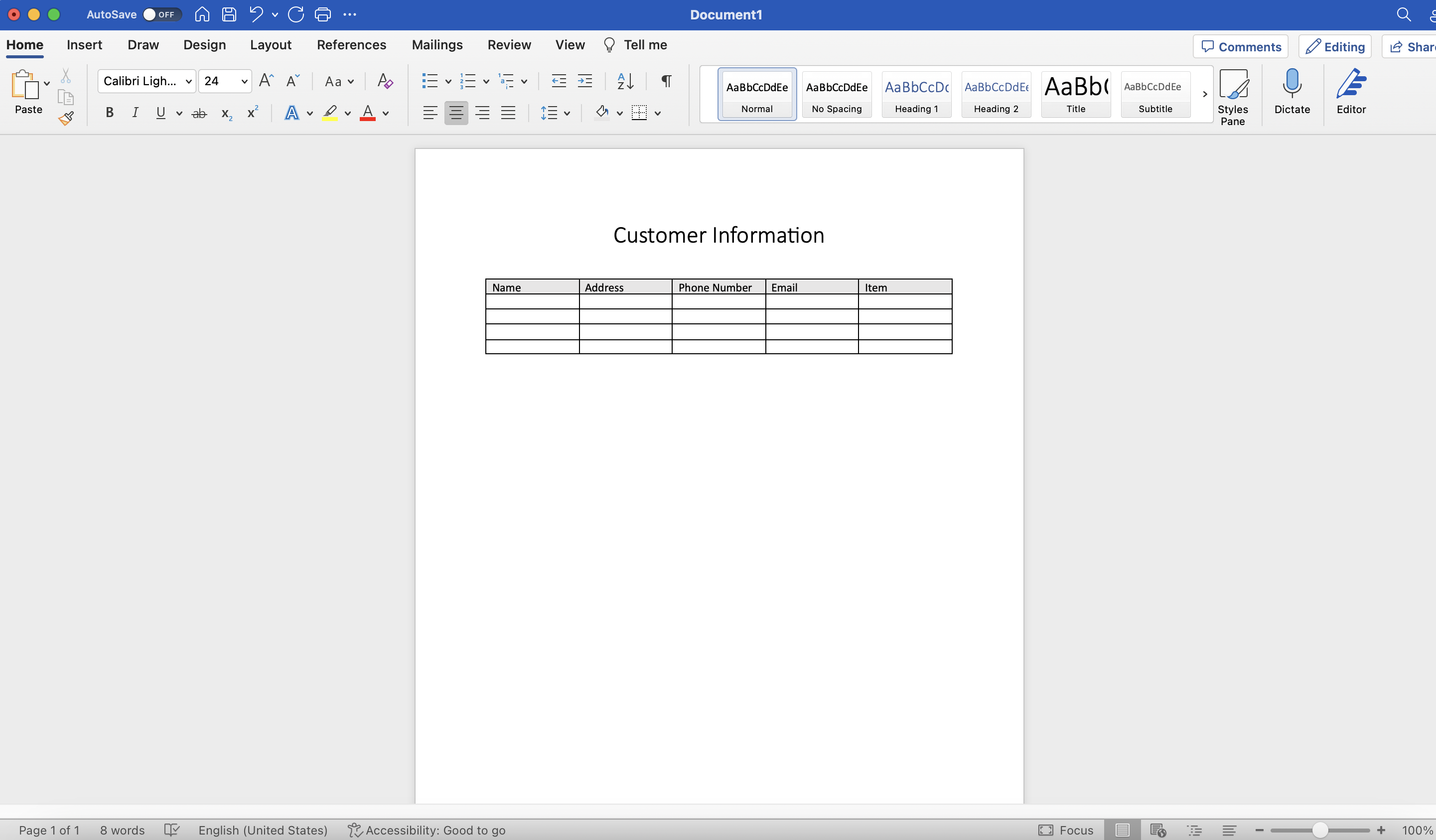
Creating the table
To start, create a new document. Click on "File" in the top-left corner of the Word window, then
select "New" from the drop-down menu. Choose "Blank document" to start with a fresh page. For this
example in how to create a report template in Word with fillable fields, we're going to be using a
table.
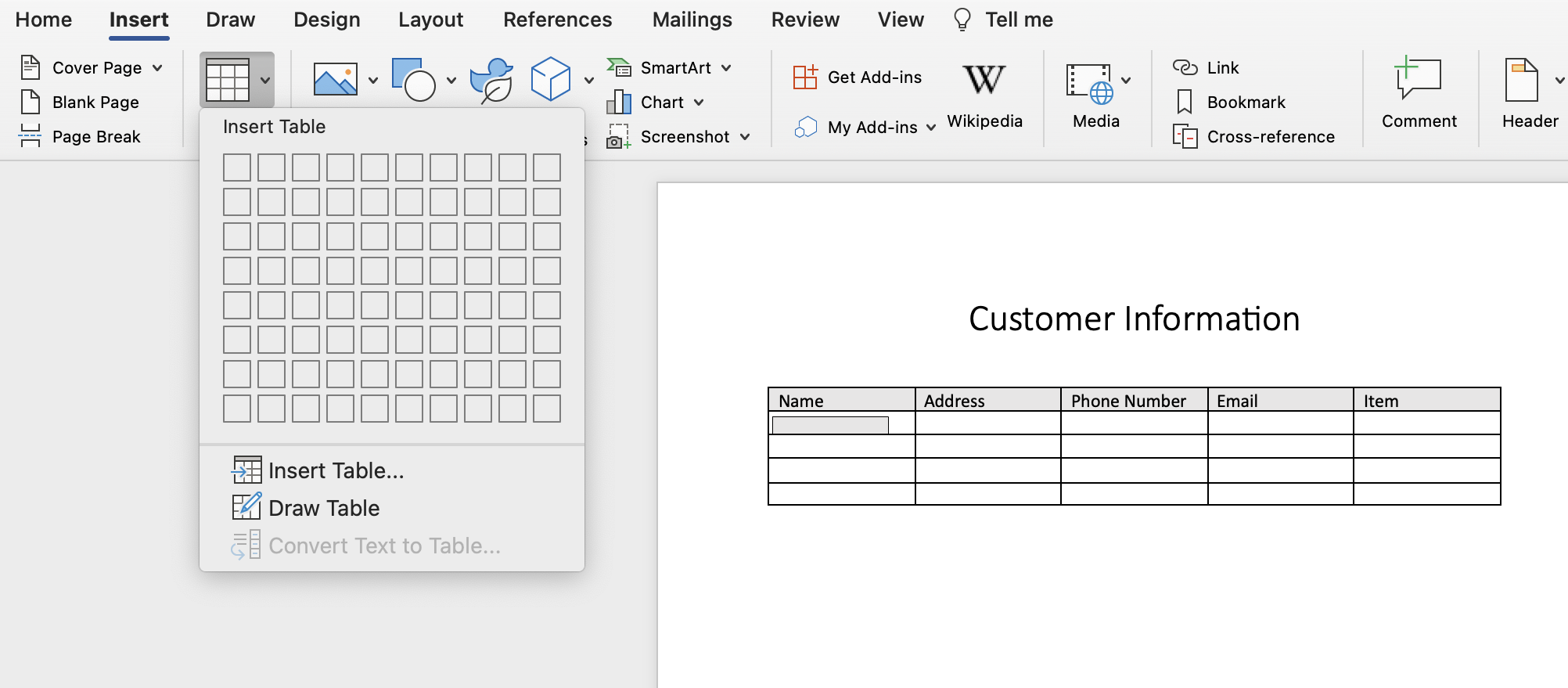
To create a table, go to the "Insert" tab in the Word ribbon, and click on the "Table" button. A
grid will appear where you can define the number of rows and columns for your table. Click on the
desired number of rows and columns to insert your table.
We have a tool that we've created to document photo images and create photo reports. If you're
interested, click the bottom link to learn more.
Customize table
Once you have inserted the table, the next step in how to create a report template in Word with
fillable fields is to customize it to suit your needs. Click on the table to select it, and then use
the options in the "Table Tools" tab that appears in the ribbon to modify the table's appearance.
If you want to add headers to your table, click on the top row of the table and type the header
text. Headers are useful for labeling the different columns and providing context for the
information to be entered. This is great if you're looking for how to create a report template in
Word with fillable fields.
To adjust the column width or row height, place your cursor on the line separating the columns or
rows until it changes into a double-sided arrow. Click and drag the line to resize the columns or
rows according to your preferences.
Save your form
Once you have finished creating the table form, the last step in how to create a report template in
Word with fillable fields is to save the document by clicking on "File" and selecting "Save" or
"Save As." Choose a location on your computer to save the document, and give it a descriptive name.
With our tool, you can document photo images and create photo reports. If you're interested, click
the bottom link to learn more.
More about Word
When looking for how to create a report template in Word with fillable fields, keep in mind that one
of the primary advantages of using Word for template creation is its user-friendly interface. With
its familiar layout and intuitive design, users can easily navigate through the different options
and tools available.
The simple and straightforward interface makes it accessible to users of all skill levels, allowing
them to create templates with ease.
Word provides an array of customization options, enabling users to tailor templates to their exact
specifications, which is useful if you're looking for how to create a report template in Word with
fillable fields. Users can adjust font styles, sizes, and colors, insert graphics and images, and
modify page layouts to create visually appealing templates that align with their branding or
personal preferences.
What you can do with it
One of the standout features of Word is its ability to create fillable forms. Users can easily insert
form fields such as text boxes, checkboxes, dropdown lists, and date pickers into their templates.
These form fields allow for interactive data entry, making it convenient for recipients to complete
and submit information, and is vital information to know, if you're looking for how to create a
report template in Word with fillable fields.
This functionality is particularly valuable for surveys, questionnaires, feedback forms, and other
data collection purposes.
Microsoft Word stands as an indispensable tool for creating form templates and a diverse range of
other templates. Its user-friendly interface, extensive template library, customization options,
form field creation capabilities, collaboration features, and cross-platform accessibility make it
an excellent choice for individuals and businesses alike, especially if you're looking for how to
create a report template in Word with fillable fields.
Document images easily
If you're doing research on how to create a report template in Word with fillable fields, you'll want to check out our tool Kybo.
If you're looking for a way to easily organize images and document what you've seen, as well as create photo reports, feel free to try out our tool.